Mike
September 2, 2025, 5:21am
1
Hi,
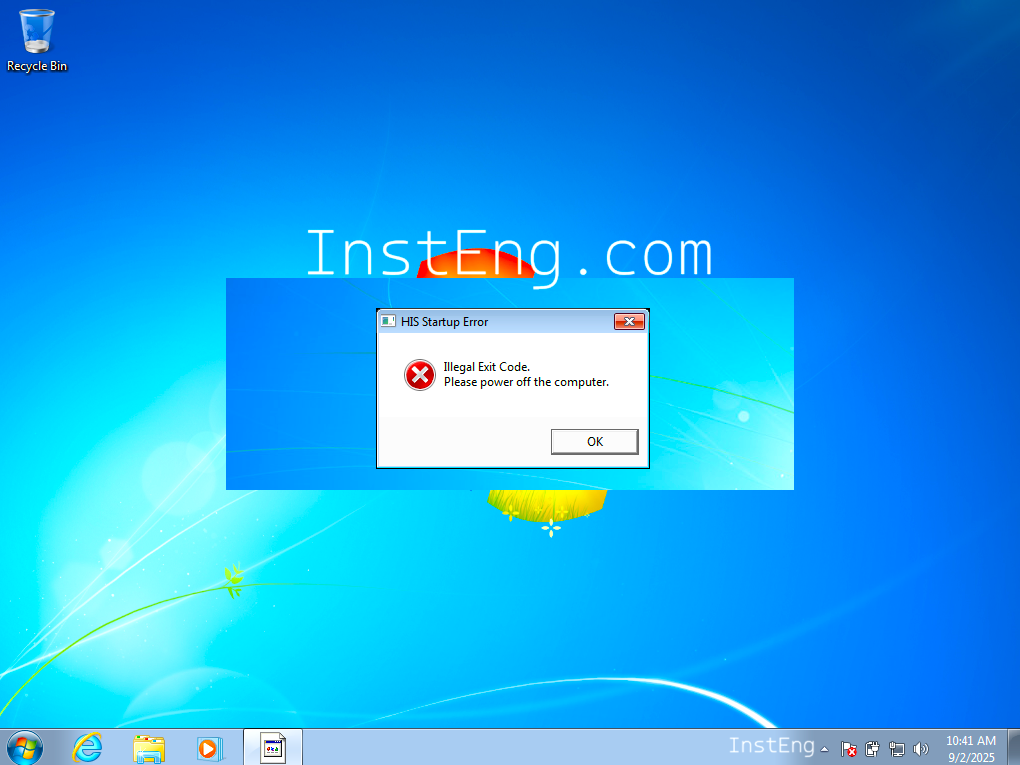
I am trying to run the test function in the Yokogawa DCS Centum VP system, but I am getting this error → HIS startup error, illegal exit code error in Centum VP.
Finally, the Yokogawa DCS Test function or simulation is not starting.
Please suggest how to solve this problem?
1 Like
Hi,
To solve the Yokogawa Centum VP DCS illegal exit code error and to start the FCS test function, follow the steps below.
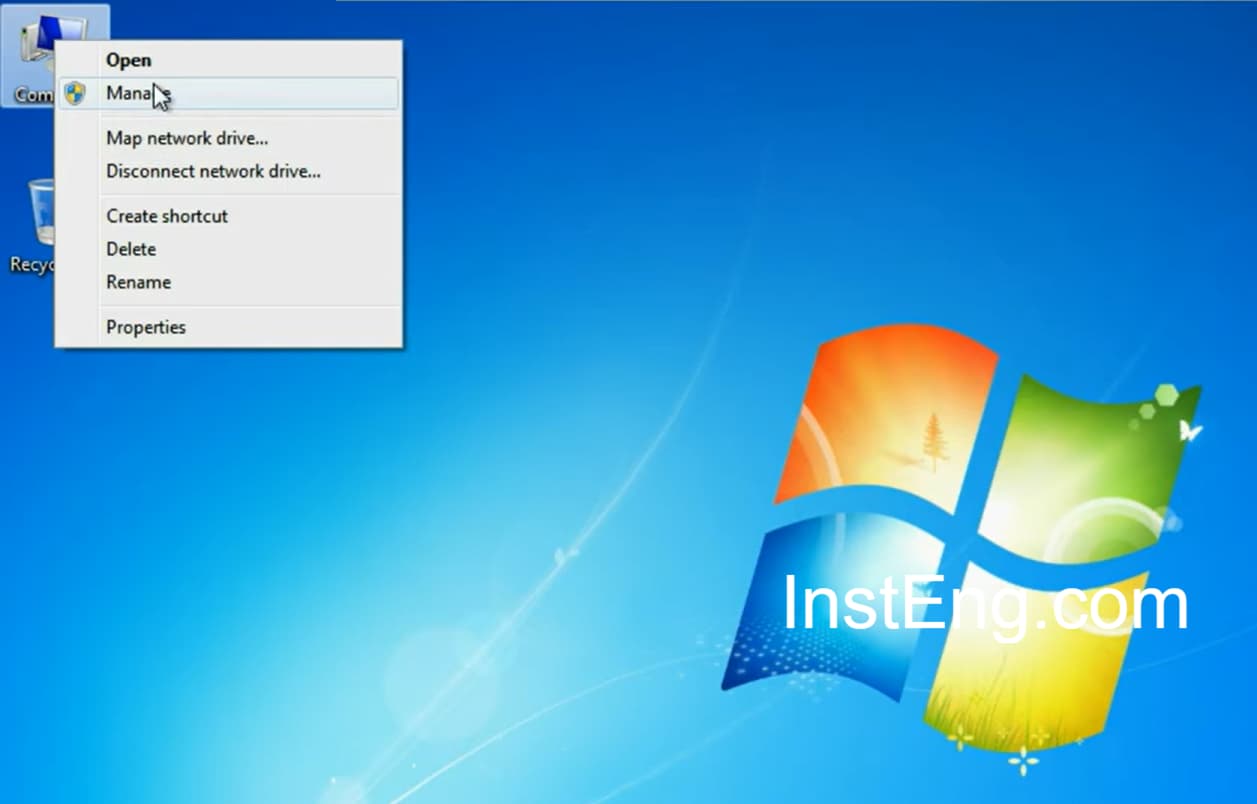
Go to Computer, Right-click, and then select Manage.
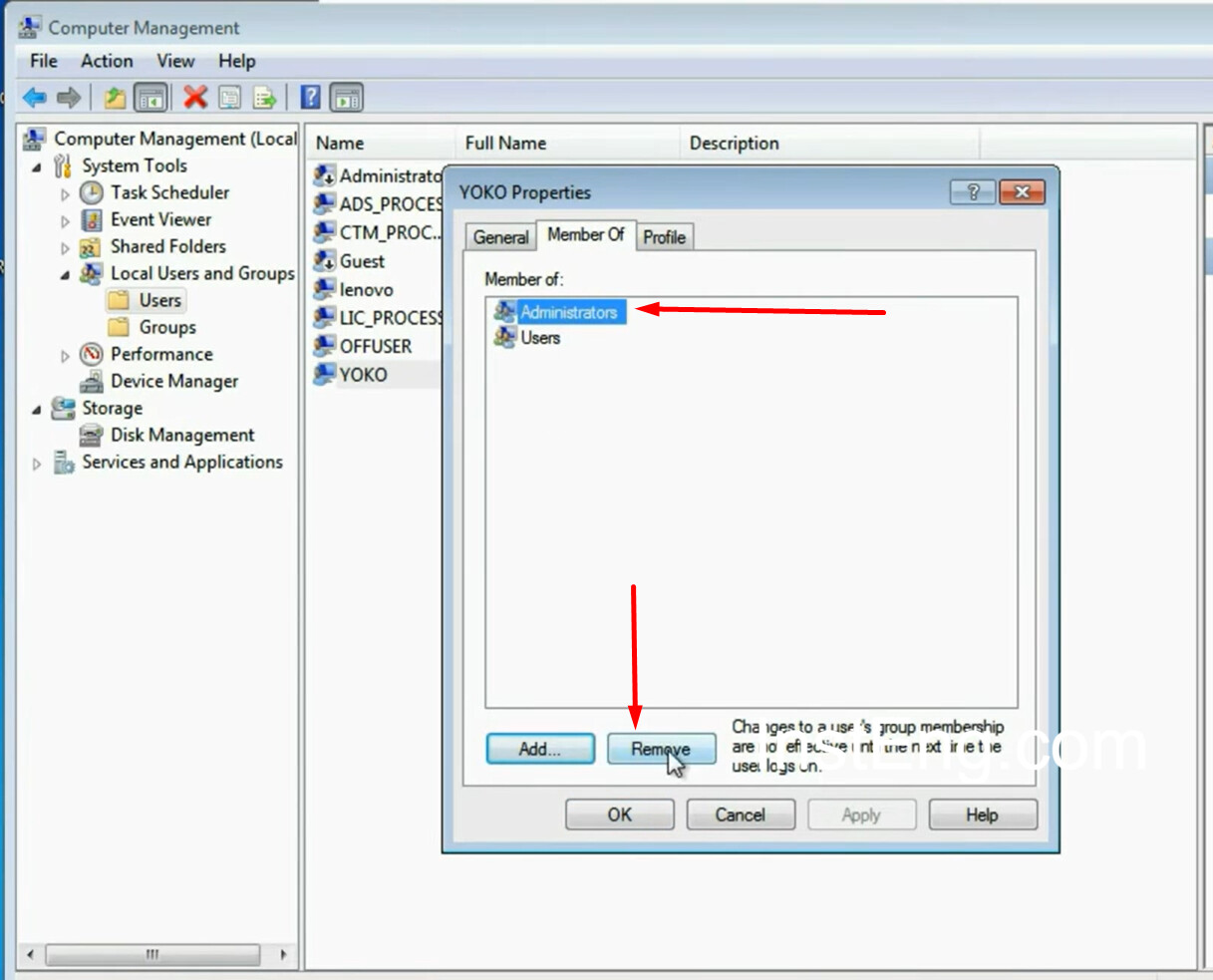
Create a new user, then right-click and go to properties.
Then go to “Member of” and then remove the “administrators”.
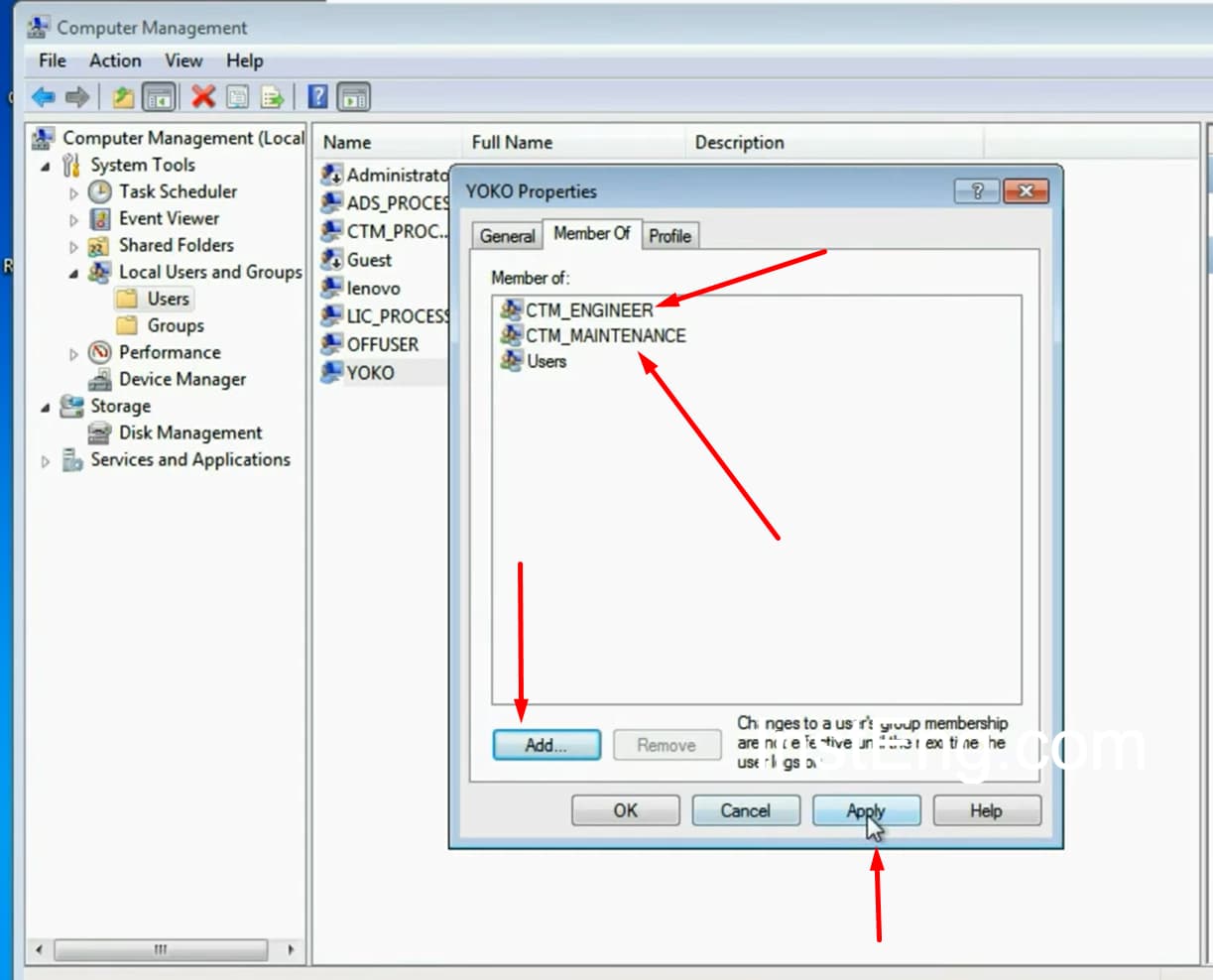
Then click the ADD button, then search for “CTM_MAINTENANCE” and ADD to this newly created user.
Similarly, search for “CTM_ENGINEER” and then ADD to this user.
Log in to this new account. Open System View, Create New Project.
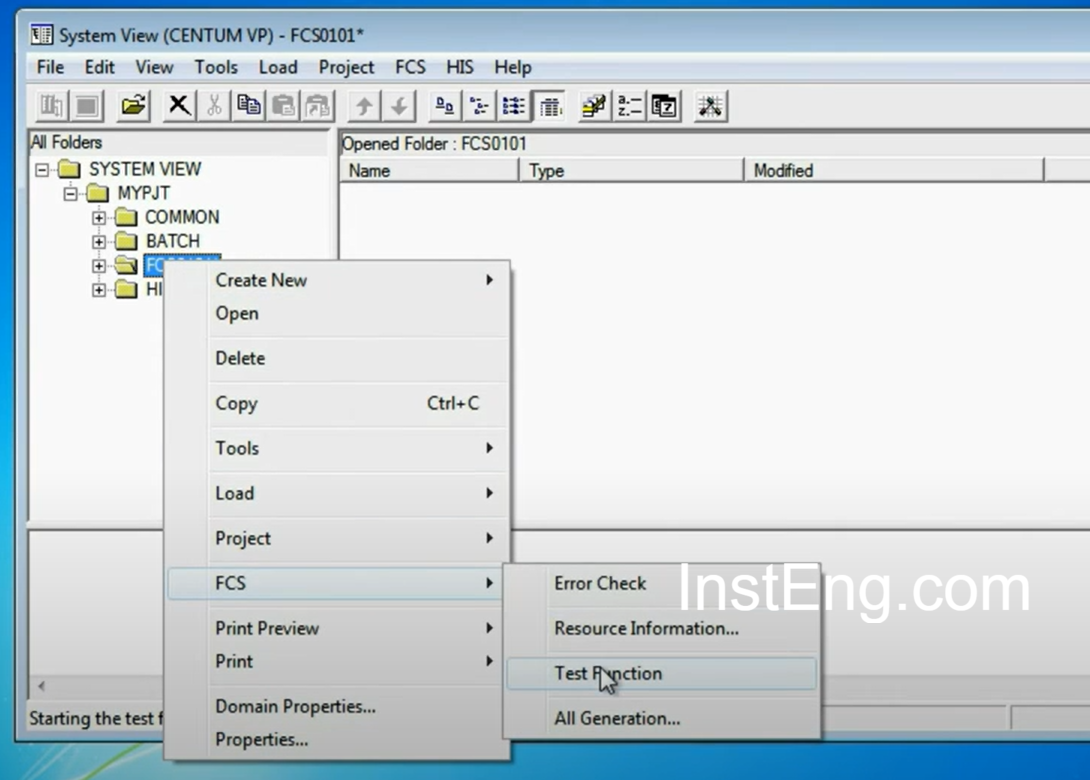
ADD FCS and HIS to the new project. Now select FCS and right-click on it, select “Test Function”.
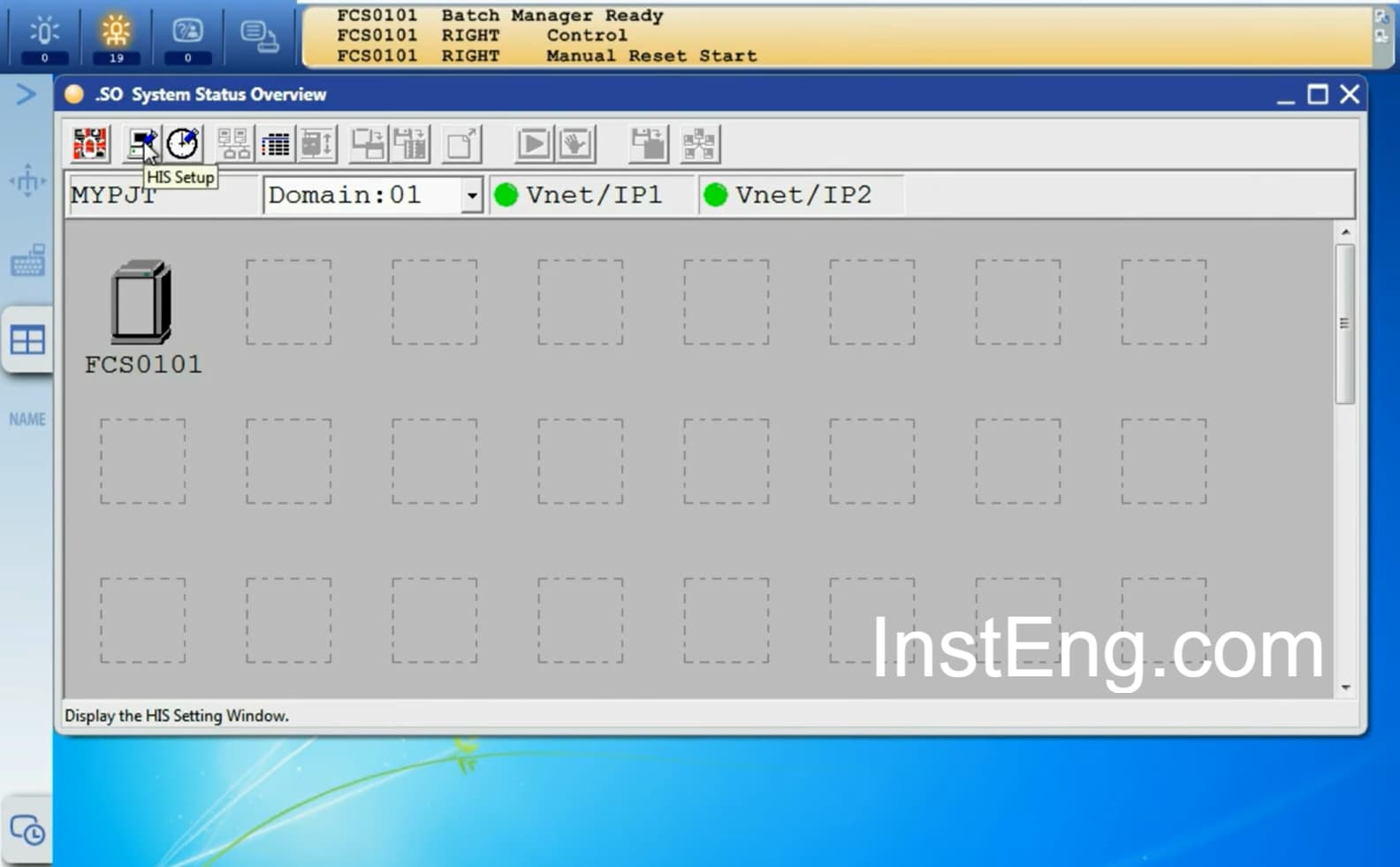
Yokogawa DCS Test Function Started
Note: If you have multiple FCS, then you can start the test function for one FCS at a time.
What problems did you face with YIL DCS? Could you share with us? Join the Discussion.
2 Likes
Good, it will solve the problem.
But will it solve the HIS illegal exi code